
Top 8 Best Blogging Platforms in 2026
With so many places you could be blogging, how do you choose the platform that is right for you?


Starting and running a blog in 2026 can be tough. It can be tough for many reasons, but one of the main reasons starting your blogging career can be overwhelming is that choosing a blogging platform is already very difficult in itself. The market is saturated with platforms claiming to be the best. But what is the best blogging platform? The best blogging platform to make money? The best platform that is also free? The best to build your business on? The number of blog platforms to choose from is almost as endless as the reasons for why someone would start blogging, another big topic that can cause analysis paralysis.
But regardless, you probably ended up on this page looking for guidance on what platform to choose to start your blog on or you are a battle-hardened blogger looking for a new home for your writing. And because Fika is a place where we really care about writers and we want you to succeed no matter what, we will help you. But helping you isn’t as simple as saying, “Here, this is where to start your blog and this is how to do it.”
The answer, fortunately or unfortunately, like everything related to writing, is more complex. Just as writing is exploration, so is the business side of writing. And the business of writing starts with finding the right place to publish your work where you actually have a chance at earning money. We can’t help you choose a platform, but we can help you understand what you are looking for, which is the first and most important step.
In this guide, we review the 10 best blogging platforms in 2026, break down the costs of starting, take a look at their main features, and explore the options for monetizing your work on each platform so you can make an informed decision.
1. Fika — 100% Free blogging platform
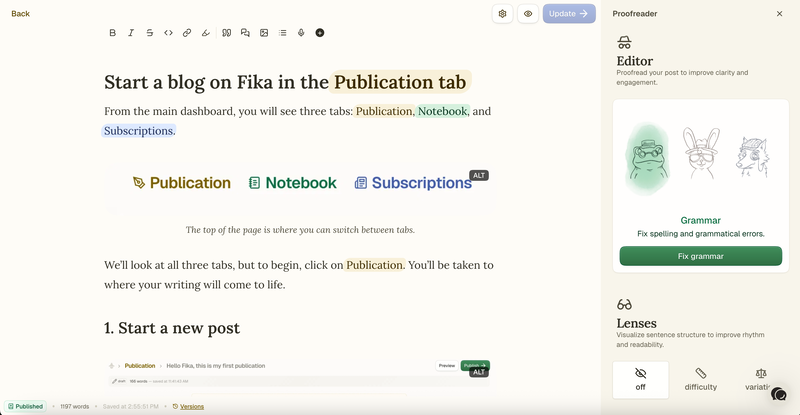
Before we take a dive headfirst into our long list of the so-called best blogging platforms, let us introduce you to one of the newcomers: a small, but mighty platform for writers called Fika. A very new platform indeed, but growing fast, and who knows, Fika may be having its early YouTube moment. If you join now before everyone else shows up to the party, you may be lucky. Or your hard work could finally pay off with consistency and with the help of the blogging tools that Fika has to offer. But what exactly is Fika?
Fika is the best free blog platform and newsletter platform for writers who want simplicity and who want to own their content and own their contact list. The platform combines a free blog, email newsletter, and a place for reading in one clean package. The blogging platform is growing fast with new features coming every week and you can also have a voice in its development by checking out our changelog and giving feedback.
Features for blogging
Fika's Editor is really simple and designed to get out of the way. It lets you focus on your work and gives you tools to do this. The Notebook is a place where you can record and transcribe voice notes so you never run out of ideas, and the Proofreader checks your manuscript after writing and recommends changes you can accept or ignore. These tools fit your writing process while keeping you and your voice center-stage. Before publishing your work, you can also auto-translate it to reach a wider audience. Readers will see your articles in their preferred language.
Once you are ready, you can publish your article to your blog and send it as a newsletter. But before that, you can choose who can read it: new readers, free subscribers, or paid members. This is how monetization works on Fika; this is how you can earn by blogging.
Fika gives you everything your blog needs:
Your personalized subdomain
Branding options (logo, header, or wordmark)
Custom header and footer snippets
Blog post stats and analytics
Unlimited subscribers
Unlimited image storage
Unlimited translation requests
Unlimited proofreading requests
Unlimited voice notes
Contact import/export for audiences migrating from other platforms
Built-in newsletter with 100% email delivery
Cost to Start Blogging on Fika
Fika is 100% free. There are no hidden fees, no premium tiers, and no feature gating. When you create an account, you get full access to every tool.
How Writers Earn on Fika
On Fika, writers can offer their readers paid subscriptions.
Fika makes it easy for writers to earn from their work. Readers can subscribe to your publication for a fee that you set. As your audience grows, Fika’s platform fee actually shrinks, so more of each subscription goes straight into your pocket instead of to the platform. Writers on Fika can set their own price. You can use our calculator to get an idea of how much you can earn through Fika as a writer.
Minimum subscription price: €5/month per reader
Fika uses Stripe Connect for payments, which has a fee of approximately 2.9% + $0.30 per transaction.
Platform fees:
0-99 subscribers: 10% platform fee
100-499 subscribers: 8% platform fee
500+ subscribers: 7% platform fee
The sliding fee structure is one of Fika's strongest selling points—unlike Substack's flat 10% forever, Fika's fee drops as your audience grows. At 500+ paying subscribers, you keep 93% of your revenue (minus Stripe processing fees).
2. WordPress(.org) — The Biggest Blogging Platform
Wordpress is one of the biggest platforms for building websites and blogs and it could be the best option for bloggers who want full control over their site and unlimited customization.
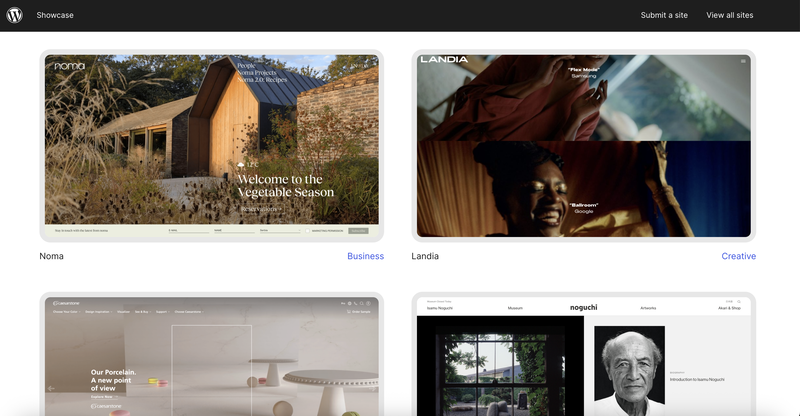
There are two options for people who want to get started with Wordpress: hosted and self-hosted. For bloggers, the self-hosted version of Wordpress (which is Wordpress dot org) is best. This gives you complete ownership of your site, your data, and your monetization.
Wordpress Features
WordPress offers bloggers complete flexibility through the many plugins and themes available:
59,000+ plugins and 12,000+ themes
Full SEO control, custom code, and design freedom
WooCommerce integration for selling products
Membership plugins for paid subscriptions
Email marketing integrations
Multilingual support, forums, e-commerce
WordPress offers virtually any feature you can imagine. But if you are looking for something simple that is easy to get started on, WordPress may not be for you. It is better for people who want to build things on their own.
Cost to Start Blogging on Wordpress
The WordPress software itself is free, but you need hosting and a domain, and if you want more features and felxibility, you optionally also need premium themes and plugins.
Here’s a rough breakdown of the costs to get started:
The pricing is not exact, but it should give you an idea of how much you will need to start.
Domain name: $10-$20/year
Shared hosting: $3-$10/month
Optional premium theme: $30-$100 one-time
Optional premium plugins: $0-$200+/year
So the total for starting your blog comes to somewhere between $50–$300 per year.
How Writers Earn on WordPress(.org)
The flexibility of WordPress also means that setup is much more technical. Monetization is entirely in your hands. WordPress itself doesn't take any cut of your earnings.
This flexibility means you have money options to make money with this blogging platform, depending on how much work you want to put into on top of actually writing.
Here are a few options for earning on WordPress:
Display ads
Affiliate marketing
Paid memberships
Sponsored posts
Product sales
As mentioned, the tradeoff is that WordPress requires more technical setup and ongoing maintenance than hosted platforms. You yourself are responsible for updates, security, backups, and optimizing performance, which is a lot of work for one person while also making time to write.
3. Ghost — Best for Bloggers Starting Newsletters
If you are a blogger and newsletter creator who wants a platform with built-in monetization like Fika, then Ghost may be a good platform for blogging to fit your needs.
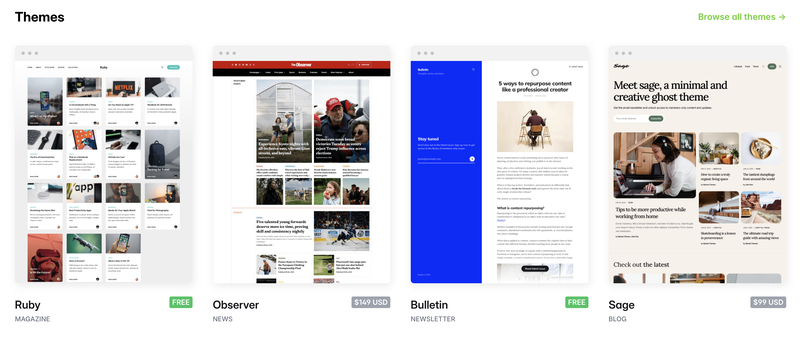
Ghost is an open-source publishing platform where you can have memberships, newsletters, and paid subscriptions.
Ghost Features
Editor that supports markdown
A way to manage memberships and subscriptions
Email newsletter
Custom themes and 8,000+ integrations
SEO
Cost to Start on Ghost
Ghost can be used in two ways:
Self-hosted: You can download it and install it on your own server for free and you only pay for hosting, which is typically $5–$15/month for a VPS
Managed hosting: This starts at $18/month (billed yearly) for the Starter plan, and there are different tiered plans available.
How Writers Earn on Ghost
If you want to earn from paid subscriptions, you need the Publisher plan, which starts at $29/month. Ghost lets you keep all of your revenue from subscriptions, minus Stripe’s processing fees. Stripes processing fees are around 2.9% + $0.30 per transaction.
4. Substack — Social Media-like Blogging Platform for Writers
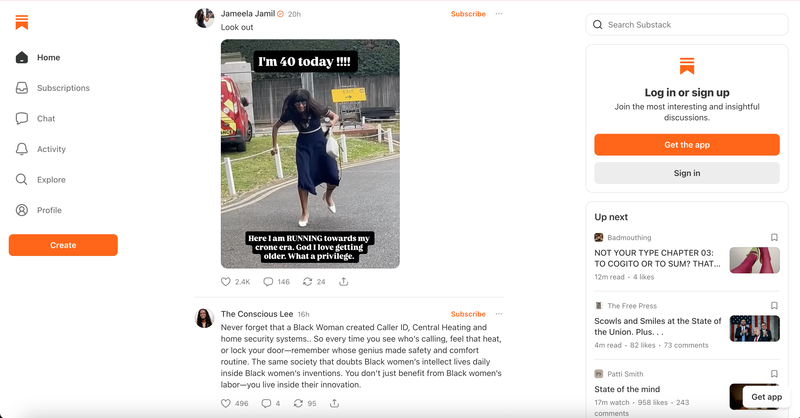
Substack is a great platform for writers who want to build a paid newsletter audience without having to focus on technical setup. It has been around for a while and has become one of the most popular platforms for the paid newsletter model.
Substack Features
Social media like feed (called Notes) with an algorithm for recommendations
Options for podcasts and video creation
Substack app
Free and paid tiers for subscribers
Cost to Start on Substack
Substack is free to use. There are no fees that you have to pay monthly, no costs for hosting, and no limits on subscribers. Substack only makes money when you start paid subscriptions for readers:
Platform fee: 10% of revenue from paid subscriptions
Stripe processing: approximately 2.9% + $0.30 per transaction
To put it into perspective, let's take this example: a writer earning $180,000/year in subscriptions would pay roughly $24,000/year to Substack alone (before the fees of Stripe and Apple).
How Writers Earn on Substack
Paid subscriptions: Writers on Substack can set their own price (typically $5–$15/month)
Since August 2025 readers who purchase subscriptions through the app store on iOS pay around 30% more in the first year. The price is higher for subscriptions purchased through the iOS app due to Apple’s in-app purchases commission. In the second year, that percentage drops to 15%. Writers cannot opt out of this feature.
5. Medium — Blogging platform with a big audience
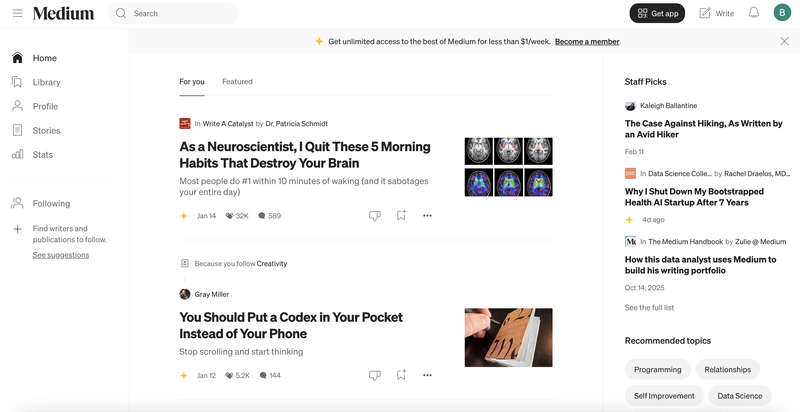
Medium is the best blogging platform for writers who want instant access to a large built-in audience without the hassle of managing a website. Medium has millions of monthly readers and it is one of the largest writing platforms today. You can create an account and start publishing immediately. No setup is required.
Medium Features
Features for collaborative writing and publishing
Big audience and a good way for readers to discover you
Custom domain on some plans
SEO-friendly
Cost to Start on Medium
You can start publishing on Medium for free without any fees for hosting or domain costs. Readers pay $5/month or $50/year for a Medium membership. A portion of the revenue from membership fees goes to writers in the Partner Program.
How Writers Earn on Medium
The Partner Program pays writers based on a few different factors including time members spend reading their content, positive interactions, follower count, and whether articles are “boosted” by Medium’s editorial team.
But how much can you earn on Medium? Typical earnings vary a lot and can be anywhere between $0.01 and $10,000+ per article. Although this varies month to month, Medium pays roughly $24 per 1,000 member views, according to various sources on the web.
Users on Reddit suggest that the Partner Program is increasingly hard to join due to Medium’s fight against bot-generated content. Although you can apply to join at this article’s time of writing, you may need to wait quite a bit before you are accepted to the program.
6. beehiiv — Blogging Platform with Several Ways to Earn Money
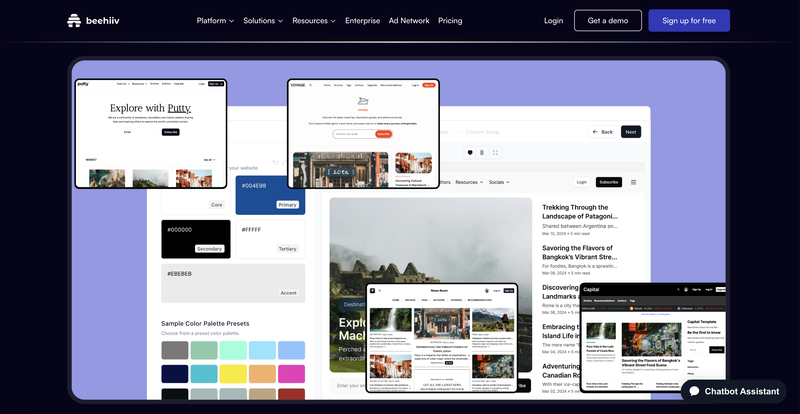
Another platform that bloggers who also want to create newsletters might like is beehiiv. Although you can also create a blog and choose to publish to the web only, beehiiv is specifically built for newsletters. It also offers many growth and monetization tools.
beehiiv Features
Unlimited emails on all plans
Custom website and newsletter templates
A/B testing, automations, and segmentation
AI tools for website design and writing
Ad Network
Cost to Start on beehiiv
There are many different pricing tiers that beehiiv offers.
Free plan: “Launch”
Up to 2,500 subscribers
Features: Custom website, newsletters, analytics, custom domain
Tier 2: “Scale”
Price: Starts at $43 per month (billed yearly)
Up to 100,000 subscribers
Features: Ad Network, Boosts, paid subscriptions, automations
Note: Pricing may increase with subscriber count.
Tier 3: “Max”
Price: $96 per month (billed yearly)
Up to 100,000 subscribers
Features: Remove branding, sponsorship storefront, audio newsletters, podcast websites
Tier 4: “Enterprise”
Price: Custom
Subscriber limit is unclear
Features: Dedicated IP, account manager, SSO
How Writers Earn on beehiiv
There are many paths to take when monetizing your work on beehiiv depending on your tier and what you want to do.
On paid subscriptions, beehiiv doesn’t take commissions. You charge readers directly and keep all earnings minus the usual Stripe fees.
Other paths you can take for monetization include:
The beehiiv Ad Network, which automatically matches newsletters with brand advertisers
Boosts, which let you earn money by recommending other newsletters to your audience
Selling digital products like courses or other digital content
7. Squarespace — Drag-and-drop website builder that you can create a blog on
Squarespace is another website builder that can create a great blog for writers who want something very visual that can be integrated with e-commerce.
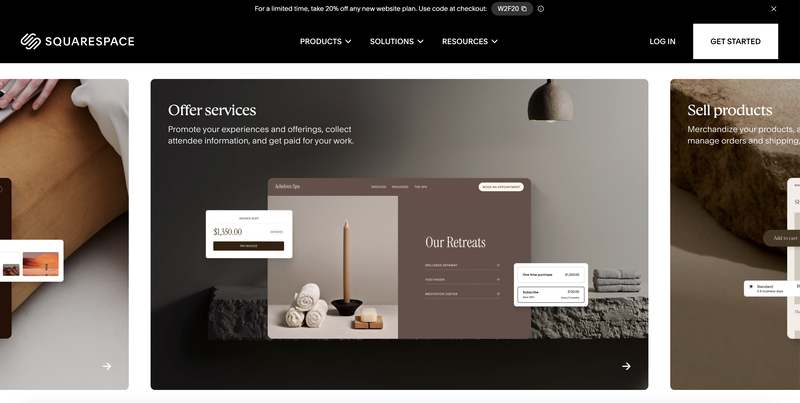
Squarespace is primarily a general-purpose website platform. However, you can also use your website as a blog, and if you want, it can also be your portfolio or online store.
Squarespace Features
Nice designs and templates
Mobile-responsive
Drag-and-drop website builder
SEO and analytics
Social media integrations
Custom domain with SSL
Cost to Start on Squarespace
Squarespace also has many plans available depending on what you need. All of their plans include a free custom domain for the first year when billed annually.
Payment processing fees are powered by Stripe and range from 2.5%–2.9% + $0.30 depending on your plan.
When billed monthly, the plan prices are:
Basic: $25/month
Core: $36/month
Plus: $56/month
Advanced: $139/month
But remember that prices are subject to change, so check them for yourself and who knows, maybe you will even spot a discount. The only thing with Squarespace is that it is also more complicated to get started and it is much more than a simple blogging platform where you can create an account and start publishing immediately.
How Writers Earn on Squarespace
There are many options to earn through a Squarespace website, but not all of them are directly related to blogging.
Member areas let you create gated content for paying members
Digital products: You can sell courses, downloads, and video content
E-commerce: Sell physical or digital products through your online store
Donations: Accept one-time donations
Sponsored content and affiliate marketing that you manage and negotiate on your own
Squarespace is a website builder where you can add blogging features. It is not primarily a monetization platform for writers.
8. Wix — Web-builder with blogging features
Beginners who want an easy drag-and-drop blog with room to grow into a full website will be interested in Wix.
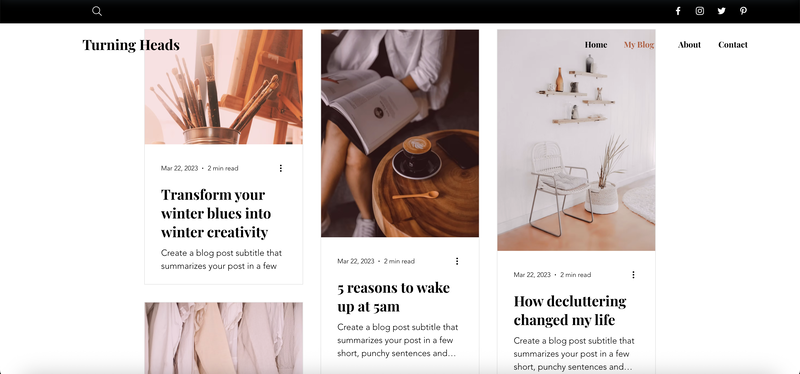
Like Squarespace, Wix is another popular website builder with many different features. It has a drag-and-drop editor with plenty of templates that you can choose from. You can add the Wix Blog app to any Wix website to start blogging.
Wix Features
Depending on your plan, you have many features to choose from. Again, not all of these are related to blogging, so you won’t find these features on most dedicated blog platforms. Wix is for people who want a full website.
800+ design templates
Drag-and-drop editor
AI-tools for writing and design
SEO, analytics, and marketing
App Marketplace
E-commerce
Cost to Start on Wix
To start, Wix’s free plan gives you tools for blogging, but with limits. You get 500MB of storage and 500MB of bandwidth. You also have Wix branding on your site and wixsite domain with the free plan.
For more flexibility and more features, you can choose another paid plan:
Light: $17/month
Core: $29/month
Business: $39/month
Business Elite: $159/month
For most bloggers, the Light plan is sufficient. At $17/month it removes ads and gives you a custom domain with sufficient storage. However, if you also want to accept payments, you'll need the Core plan at $29/month.
How Writers Earn on Wix
Paid memberships through members-only content areas for subscribers
Online store where you can sell products or services
Wix AdSense integration
Affiliate marketing and sponsored content that you negotiate on your own
Donations
Earning money on Wix—as with most platforms that are similar—requires building your own monetization strategy.
Choosing the best blogging platform
At the beginning of this guide, we talked about how overwhelming it can feel to choose a blogging platform in 2026. And after reading this article, I can only hope that you feel less overwhelmed.
The options are endless, but if you know what kind of blog you want to write and why, as well as what your goals are with blogging, then you should be able to find the right option for you. Every platform claims to be the best, but what is important is what the platform is best at. And depending on what you want—finding an audience of readers, generating income from digital products, control over your mailing list—the “right” answer changes and you know which blog platform is right for you.
Writing is exploration. Building a writing business is exploration too. The platform you choose for your blog is simply the place where that exploration happens. Choose the one that supports your goals, fits your budget, and gives you a real chance to grow both creatively and financially.

Comments
No comments yet. Be the first to comment!